Privacy and leaving
The Demo server's members see each other's names and counts. This last page is about choosing how much of that you share, and how to leave.
What is stored
The bot stores counts, times, ids and names: how many messages, in which channel, at which hour; reactions; time in voice; games from your Discord status; joins and leaves. It never stores what anyone writes: it does not even have Discord's permission to read message content. League ranks and games are stored only after /lol link, Riftbound cards only when you enter them. About & privacy has the full list.
Logged out, the site shows totals across all servers only: no server names, nobody's name. The Demo server is not even in those totals, since Anna left it out.
Your profile
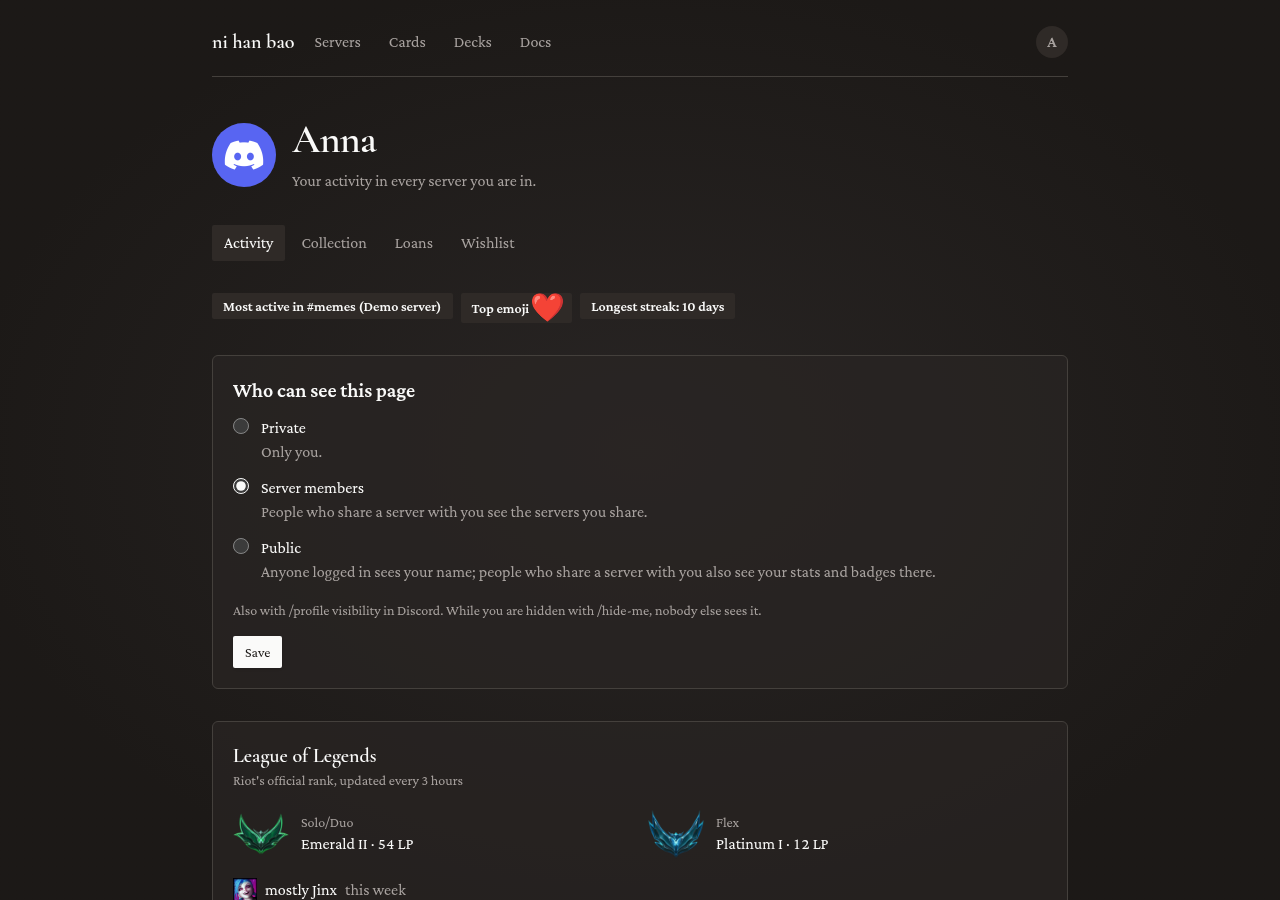
Anna's profile brings her servers together: her activity, her ranks, her collection and her loans. Who sees it is hers to choose, on Settings or with /profile visibility:
- Private: only you. Every profile starts here.
- Server members: people who share a server with you, for the servers you share. Anna picked this, so her members can see her collection.
- Public: anyone logged in.
A private profile also keeps you out of Playing now and out of Who has it? on card pages.
Hiding in one server
Hana does not want to be on the Demo server's leaderboard. She types /hide-me there. She is gone from that server's lists and charts, and her rank role is taken away. Her messages still count towards the server's totals, without her name. /show-me brings her back. It works per server, so she runs it in each server she wants to hide from.
Forgetting everything
Milan is leaving for good. /forget-me deletes everything the bot stores about him, in every server. It asks first, and only he sees the question:
You used /forget-me
ni han baoAPP
Only you can see this
He presses Delete my data. Server totals keep their counts, without anything pointing to him. The bot stops counting him and keeps only a hashed copy of his Discord id, to know not to. Until he types /show-me, he cannot open the servers' pages on the site.
Removing the bot
To remove the bot from a server, an admin kicks it like any member, or removes it under Server Settings > Integrations. It stops counting at once, and the server leaves everyone's server list. To have its statistics deleted as well, ask through About & privacy.
That is the whole tour. The command reference has every command and option.