League
Half of the Demo server plays League. Linking an account adds ranks and games to the server's pages and to the weekly report.
Anna links her account
Anna runs /lol link riot-id:Anna#EUW region:Europe West. Anyone could type her Riot ID, so the bot asks her to prove it is hers, with a starter icon that she sets in the League client:
You used /lol link
ni han baoAPP
Only you can see this
A minute later she presses Verify: "Linked: Anna#EUW is your League account." She changes her icon back. Eight members follow over the week. See link your accounts for what to do when Verify says no.
The bot reads Riot's official rank every 3 hours and the games of the last 10 days every 6 hours. Nothing else from the account is stored, and /lol unlink deletes it.
The Ranked page
Ranked shows the members who linked an account: who played the most games in the last 7 days and on which champion, and the Solo/Duo and Flex ladders. Anna is Emerald II in Solo/Duo and Platinum I in Flex.
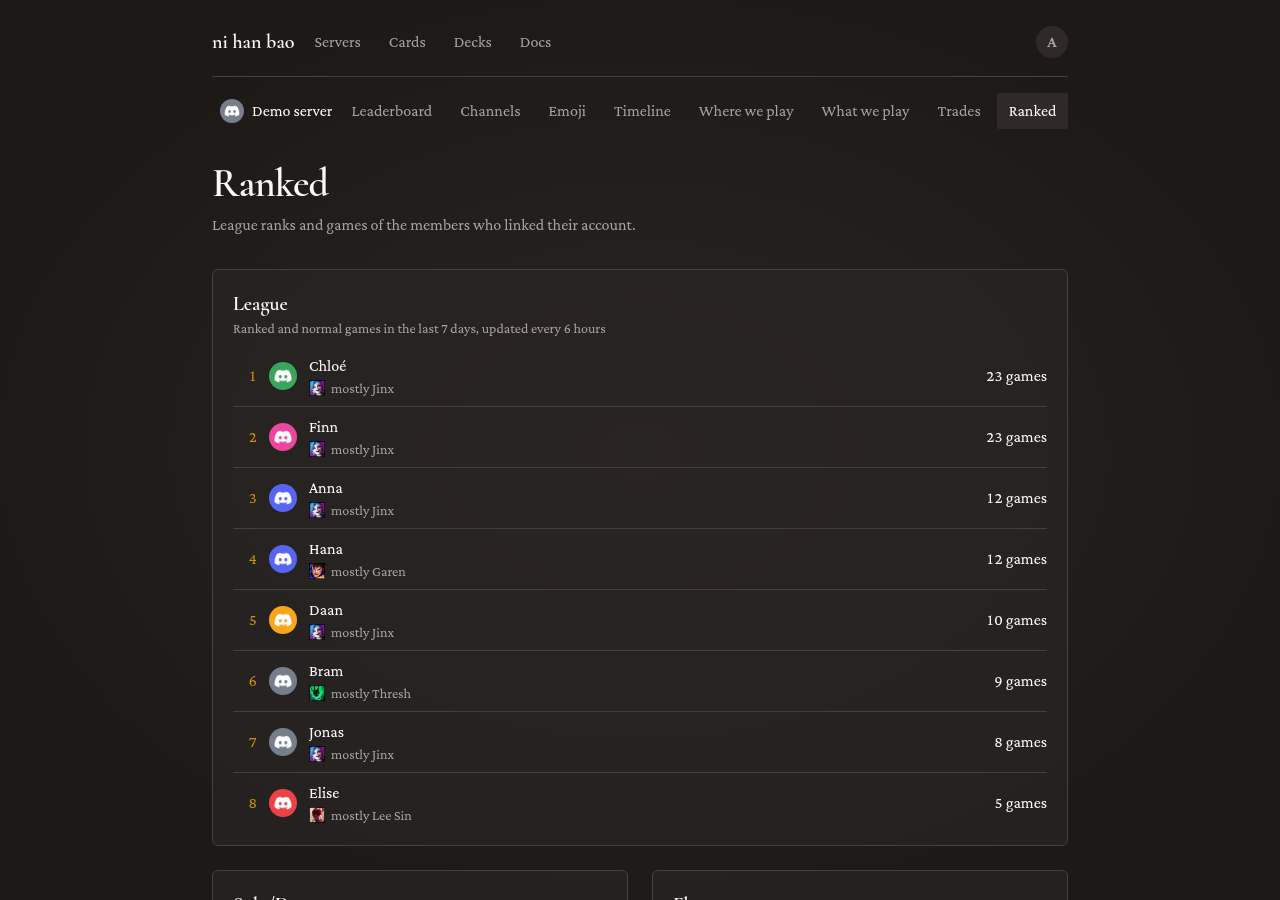
Linked ranks show on members' profiles too, and the most-played member of the week makes the Monday report.
Rank roles
With eight accounts linked, Anna turns on rank roles: /setup rank-roles state:on. Every linked member gets a role for their tier, like Emerald or Diamond, kept in sync as ranks change. The roles make ranks visible in Discord itself, in the member list and on mentions, without anyone opening the site.
Two things to get right first:
- The bot needs Manage Roles. Anna adds it to the bot's role.
- The bot's role must be above the tier roles in Server Settings > Roles. Discord does not let a role hand out roles above it.
If either is missing, the setup answer says which. Members who /hide-me or /lol unlink lose the role right away.
Next: Riftbound night.